 Review101
How to Set Up, Use, and Maintain a Home Treadmill
Before delivery, check that the treadmill fits the room and the way you want to exercise. Once it arrives, use the exact model’s manual to set it up, practice the controls, and plan for upkeep.
Read the article
Some links may earn us a commission, at no extra cost to you. How we’re supported
In this article 7 sections
Start with your needs
Buy if weather, darkness, or travel regularly interrupts walks or runs you already want to take, and you have a safe place to use the machine.
Use a gym treadmill at your usual pace. Notice whether the moving belt feels comfortable and whether you can take your normal steps without hanging on.
Use an outdoor route or indoor track if either fits your schedule. If you want indoor cardio but dislike a moving belt, try a stationary bike.
As an Amazon Associate, we earn from qualifying purchases. Research-based analysis; no hands-on testing.
The short answer
Buy a home treadmill if easier indoor access would help you walk or run regularly and you have room to use it safely. If you’re unsure about the feel of a moving belt, try one at a gym before committing to the space and upkeep.
Worth considering if
- Walkers or runners who regularly miss sessions because of weather, darkness, or the trip to the gym.
- People with a dedicated exercise area or a storage setup they can manage comfortably.
- Desk walkers who want easy bouts of movement and have a compatible workstation.
Hold off if
- The machine fits, but there isn’t enough clearance behind or around it.
- You’d have to move it for every session and aren’t sure you can do that comfortably.
- You haven’t tried treadmill walking or running and don’t know if you like the motion.
Choose your next step
Ready to compare?
See the differences, tradeoffs and who each model suits.
Compare the products →


Choose a setup you’ll actually use
Start with the sessions you want to do. If you want easy walks while you work, look for a walking pad approved for under-desk use. If you want to run, look for a treadmill approved for running with a belt long and wide enough for your stride. A listing’s top speed doesn’t tell you which speeds are allowed with a handle folded or in an under-desk setup. Check the manual for the exact configuration you’ll use.
Picture the machine ready to use, not folded in a listing photo. If you’ll have to roll it out, unfold it, and move furniture for every walk, consider whether you’d still do that on a busy day. If your usual outdoor route works well or you already have easy access to an indoor track, you may not need a machine at home.
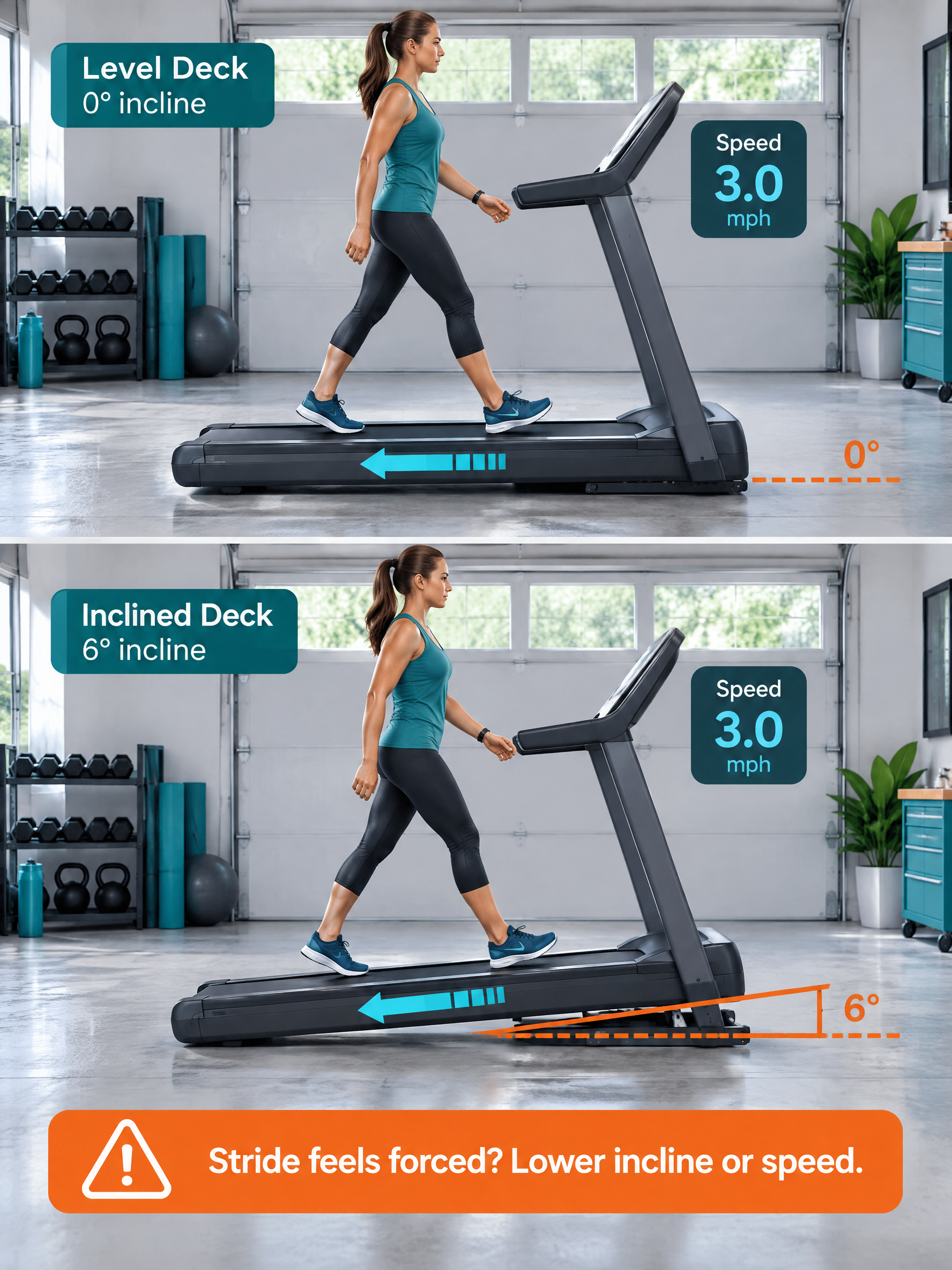
How a treadmill changes the effort
See the movement
Follow the continuous moving belt and alternating walking stride.
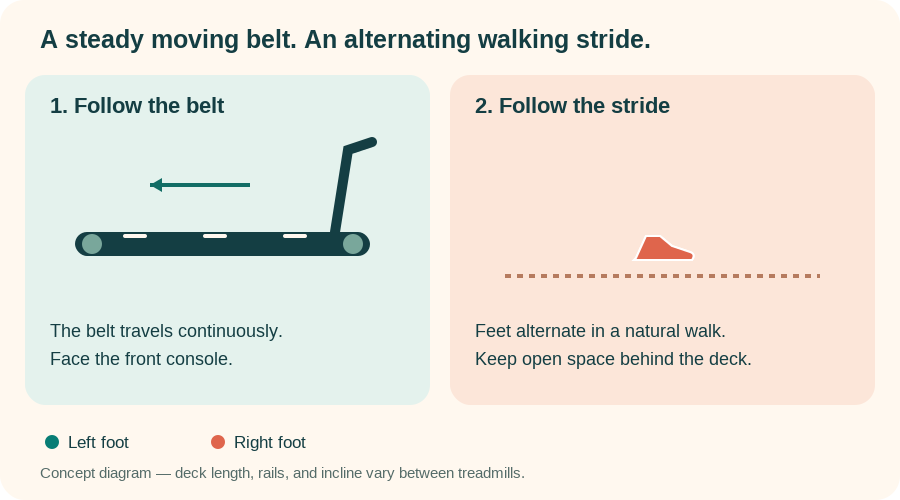
Simplified motion diagram. Deck length, rails, and incline vary by treadmill.
- Set the belt speed
The motor moves the belt at the selected pace. If you shorten your steps or slow your cadence, the belt doesn’t slow down with you.
- Change the deck angle
Incline tilts the deck. At the same belt speed, a steeper grade can feel harder because you’re stepping uphill.
- Back off when your stride changes
If a steeper grade makes it hard to keep your natural stride, lower the grade or reduce the belt speed rather than trying to match both settings.
Set up the treadmill before the first session
Before ordering, measure the delivery route and the workout area. Allow the clearance specified in the manual, especially behind the belt, and leave room to get on and off. Check ceiling height with the deck at the highest incline you plan to use, allowing for your height on the raised deck.
Match the model number on the machine to the manual before assembly. Set the treadmill on a firm, level surface and follow the leveling instructions if it rocks. Before plugging it in, check the outlet, grounding, and circuit requirements. Don’t assume a power strip or extension cord is permitted.
Find the normal stop control and learn how the emergency stop works. If the treadmill has a safety key with a tether, clip it to your clothing as directed before starting. Keep children and pets away from the machine while it’s running, and store the removable key out of children’s reach when you’re done.
Choose your next step
Which model fits your needs?
See the differences, tradeoffs and who each model suits.
Compare the products →Practice starting, stopping, and changing settings
Make the first session a practice run for the controls. Follow the manual’s mounting and startup sequence rather than assuming your feet should be in the same place on every machine. Start at an easy walking pace. To finish, slow down, use the normal stop control, and wait for the belt to stop completely before stepping off.
Identify which buttons change belt speed and which change incline. The NordicTrack T 6.5 S listing describes console controls for both. The Superun BA10-Handle lists a remote but has manual incline: the remote doesn’t raise the deck. On a manual-incline machine, stop the belt and step off before following the manual’s instructions to reposition and secure the deck.
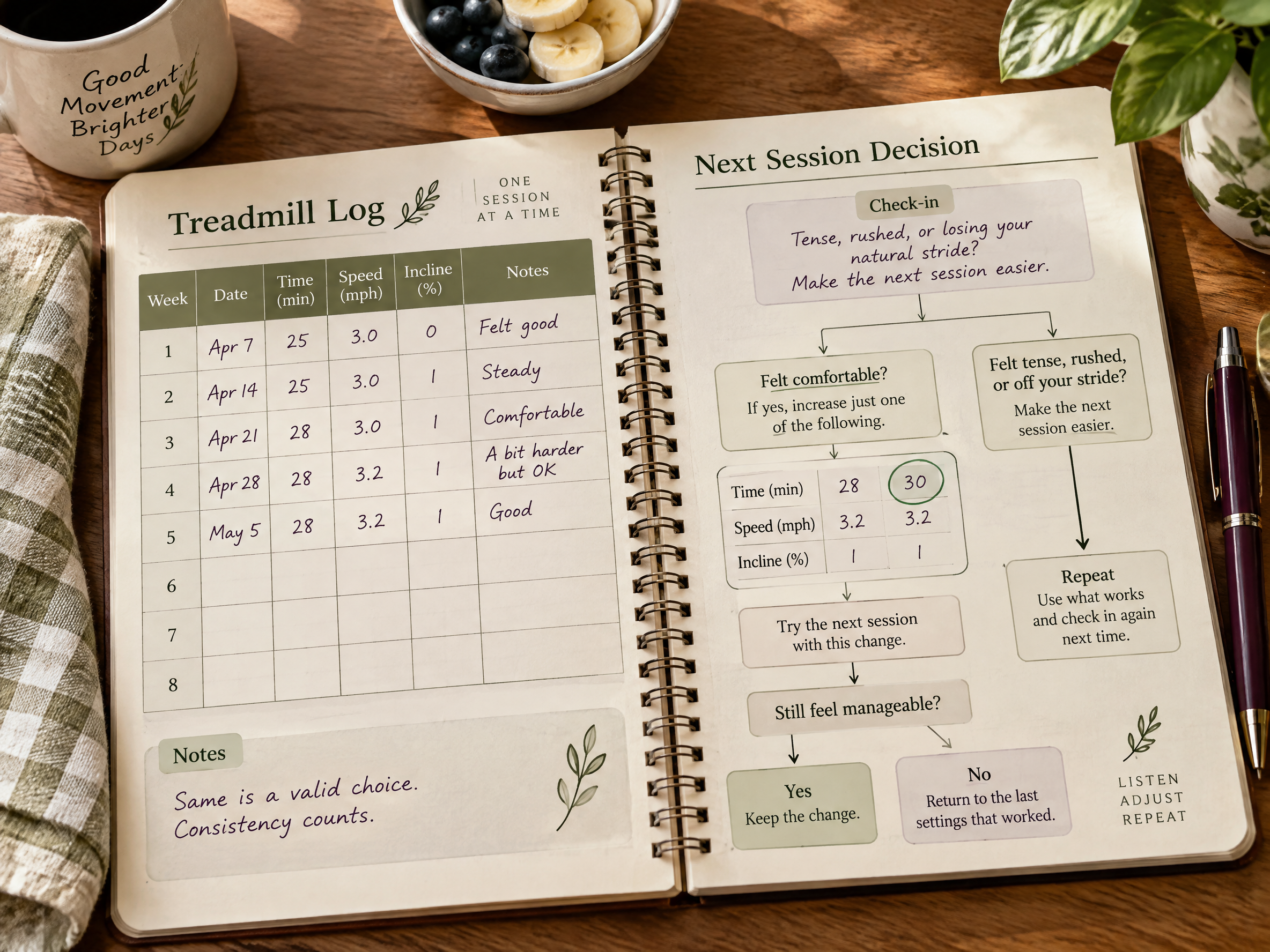
Decide what to change next week
- Review the last session
If you finished tense, rushed, or struggling to keep your stride, make the next session easier rather than progressing.
- Change one thing
If the session felt comfortable, add a little time, speed, or incline. Keep the other two settings the same so you can tell what made the difference.
- Check whether it’s repeatable
Keep the change if the next session still feels manageable. If not, go back to the last settings that worked.
Find a natural stride and build a repeatable routine
Look ahead, stay upright, relax your shoulders, and let your steps fall naturally. If you’re stretching each step, drifting toward the back, or pulling on the handrails to keep up, reduce the speed or incline. For desk walking, set the work surface so you don’t have to hunch and keep the stop control within easy reach. If typing makes you drift or look down at your feet, slow down or pause the belt to work.
Start with a short, easy session at a time you can reliably set aside. Note the duration, speed, incline, and how the effort felt. Use those settings to repeat the session in manual mode so you have a familiar baseline.
Learn how to override a setting or stop before trying a preset or guided workout. For example, the NordicTrack T 6.5 S listing describes iFIT workouts that can adjust speed and incline automatically. Pick an easy program first so you can pay attention to how it changes the settings.
Clean, inspect, fold, and service the treadmill
After a session, switch off the treadmill and follow the manual’s instructions for disconnecting power before cleaning. Wipe sweat off the rails and console and clear dust around the base. Don’t spray cleaner into openings. With the belt stopped, look for frayed edges, a belt that has shifted to one side, or damage to the power cord. Adjust belt tracking or tension only if the manual gives an owner procedure.
Check whether the belt needs lubrication, which lubricant is approved, and when to apply it. The WELLFIT TM037PRO and Sunny Health & Fitness SF-T723030 listings include lubricant, but that doesn’t mean you should apply it on delivery or use the same schedule for both machines.
Before folding or moving the treadmill, check the required deck position, how to confirm the latch is secure if there is one, and which storage orientations the manual permits. Transport wheels can help on a level floor, but they don’t make the machine safe to move up stairs. If the belt keeps slipping, the treadmill stops unexpectedly, or you smell burning, stop using it and contact the manufacturer or an authorized service provider. Don’t open the motor cover to investigate.
Questions before you commit
Will a treadmill mat keep downstairs neighbors from hearing me?
Don’t count on a mat to soundproof the floor. A compatible mat can protect the finish, but footfalls can still carry through the building. If noise could rule out a treadmill, check building rules and return terms before ordering.
Do I need a subscription just to walk or run?
Confirm that the exact model can start a manual workout without a paid account before you buy. The NordicTrack T 6.5 S listing describes console adjustments and guided iFIT workouts, but it doesn’t establish what activation or account steps are required. Ask the manufacturer about initial setup as well as everyday manual use.
Is doorstep delivery enough for an upstairs room?
Only if you have a safe way to get the boxed machine upstairs. Ask whether delivery includes stairs and room placement, and check the carton dimensions and shipping weight rather than the assembled specs. Find out whether a return would require you to rebox it or carry it back downstairs.
Can I put a treadmill in an unheated garage?
Only if the exact model’s manual permits the conditions in your garage. Check the allowed temperatures for both use and storage, along with any limits on moisture and dust. If the garage falls outside those limits, pick another spot before delivery.
Choose your next step
Put your shortlist side by side
See the differences, tradeoffs and who each model suits.
Compare the products →Your next step
- Before ordering, confirm room placement, delivery access, operating clearance, and the required outlet.
- Save the exact model’s manual and record the serial number for support.
- Before the first workout, check that the treadmill is level and practice the stop controls.
- Log your first comfortable session and set reminders for the manual’s maintenance checks.
Before the return window closes, try the full routine: get the treadmill ready, do a normal session, and put it away if needed. That tells you more about whether it fits your home than a quick test of the controls.