 Review101
Peloton Tread Vision Review: Who It Fits and What to Verify
The Peloton Tread Vision TA04-DC01 pairs a movement-tracking camera with a swivel touchscreen. The buying decision turns on whether those features improve workouts you already want to do.
Read the article
Some links may earn us a commission, at no extra cost to you. How we’re supported
In this article 9 sections
- Peloton Tread Vision: at a glance
- Our assessment
- What do the camera and swivel screen add to a workout?
- Will the running deck suit your stride and pace?
- How do the controls work mid-run and without a membership?
- Can delivery get it into the room you’ve chosen?
- What could service or a return cost you?
- When an alternative makes more sense
- Before you order
Review summary
Shortlist the Peloton Tread Vision if you have a dedicated workout space and expect to use both connected treadmill classes and screen-led floor sessions. Buy it for camera feedback only after seeing what it does in a class you’d take. Choose something else if you mainly want manual speed and incline controls or need to tuck the machine away after each workout. This is a listing-based review, not a hands-on test.
As an Amazon Associate, we earn from qualifying purchases. Research-based analysis; no hands-on testing.
Peloton Tread Vision: at a glance
A connected home treadmill with a listed 12.5 mph top speed, movement-tracking camera, and 23.8-inch Full HD swivel touchscreen.
Pros
- Runners who want a large workout display in a dedicated exercise room.
- People who plan to turn the screen toward a mat for strength or yoga sessions.
Cons
- At 299 pounds, it needs a planned delivery route and a spot where it can stay.
- The listing doesn’t specify usable belt dimensions or explain what feedback the camera provides.
Our assessment
Editorial judgments based on the listed specifications, not a lab-test score.
Connected workouts
Worth a demoThe swivel display has a clear use for floor sessions, but the listing names movement tracking without explaining the feedback you get.
Running fit
Check the belt firstThe 12.5 mph speed ceiling and 300-pound weight recommendation are listed; usable belt length and width are not.
Placement
Best left in placeA 68-by-33-inch machine footprint and 299-pound weight make room layout and delivery access decisions to settle before checkout.
Warranty
Verify service costsThe five-year terms for the belt, motor, and frame outlast the one-year parts and labor term. Check who pays for an on-site repair after year one.
Peloton Tread Vision
Check price on Amazon →What do the camera and swivel screen add to a workout?
This review covers the Tread Vision, model TA04-DC01. The listing specifies a 23.8-inch Full HD swivel touchscreen and a built-in speaker. For a strength or yoga session, the swivel lets you aim the display toward a mat rather than arranging your workout directly in front of the console. Check where the mat would actually go: a screen you can turn is less useful if a wall or furniture leaves you nowhere to exercise within view.
The movement-tracking camera is harder to judge from the listing. Peloton names the feature but doesn’t explain which movements or classes it supports, what feedback appears, or where you need to stand. Ask for a demo in a session you’d repeat, not just a tour of the settings. Find out whether you can disable tracking and how camera data is handled before making it a reason to buy.

Will the running deck suit your stride and pace?
The listed 12.5 mph top speed corresponds to a 4:48 mile pace. That tells you whether your target pace falls within the advertised range, not how quickly the belt gets there during an interval. The 300-pound maximum weight recommendation is a separate fit check. Neither spec tells you how much room you have to land: the supplied listing gives the machine’s outside dimensions, but not the usable belt length or width.
The listing specifies carbon-steel construction and describes the belt as cushioned. Those details don’t establish how firm the deck feels, how steady the console is at speed, or how much footfall vibration reaches the floor below. The supplied external review snippets mix the Tread Vision with the Tread and Tread+ Vision, so they don’t establish a reliable performance consensus for this exact model. If stride room or downstairs noise could rule it out, get the running surface dimensions and try this model at your usual pace if possible.
How do the controls work mid-run and without a membership?
A large touchscreen helps you see a workout, but it doesn’t tell you what you’ll reach for when it’s time to change pace. The listing doesn’t document the speed and incline controls, the maximum incline, or whether a class can change either setting for you. If you run intervals or train on hills, ask to see both adjustments made with the belt moving and check how you would override a class-directed change if that feature is available.
Ask two separate questions about access: what works without a paid membership, and what works when Wi-Fi drops? The listing doesn’t establish either. Confirm whether you can start and adjust a manual workout in both situations, then verify which plan, if any, unlocks the classes and camera features you want. Use the current renewal terms to judge the cost of the setup you’d actually use.

Can delivery get it into the room you’ve chosen?
The Tread Vision is listed at 68 inches deep, 33 inches wide, and 66 inches high. Those are machine dimensions, not operating clearances. Get Peloton’s clearance requirements for this model and check overhead room at your intended incline. Measure the route into the room as well as the final spot: an assembled width won’t tell you whether the delivery team can negotiate a tight stair landing.
At a listed 299 pounds, this is a machine to place deliberately rather than move between workouts. Give the seller your narrowest doorway, tightest turn, and stair count. Ask what arrives assembled and whether delivery includes carrying it to the chosen room, setup, and an initial operating check. The listing identifies a power cord and manual among the included items, but doesn’t establish electrical requirements or what installation service comes with the order.
What could service or a return cost you?
The listing states one year of parts and labor coverage, five years for the belt and motor, and five years for the frame. It also mentions an extended warranty without detailing its terms. Don’t read the five-year component coverage as five years of on-site service. Ask how the screen and camera are covered, who handles a claim through your seller, and whether labor, technician travel, or shipping would be charged separately.
An opened-item return policy matters because deck feel and vibration in your own room are hard to judge until setup. Get the return window and pickup terms in writing, including who pays for disassembly, freight, or restocking. For the value decision, compare the delivered and installed cost plus any membership you’d keep. If you’d rarely use the camera or the screen away from the belt, judge the purchase on how well it meets your running needs without those features.
When an alternative makes more sense
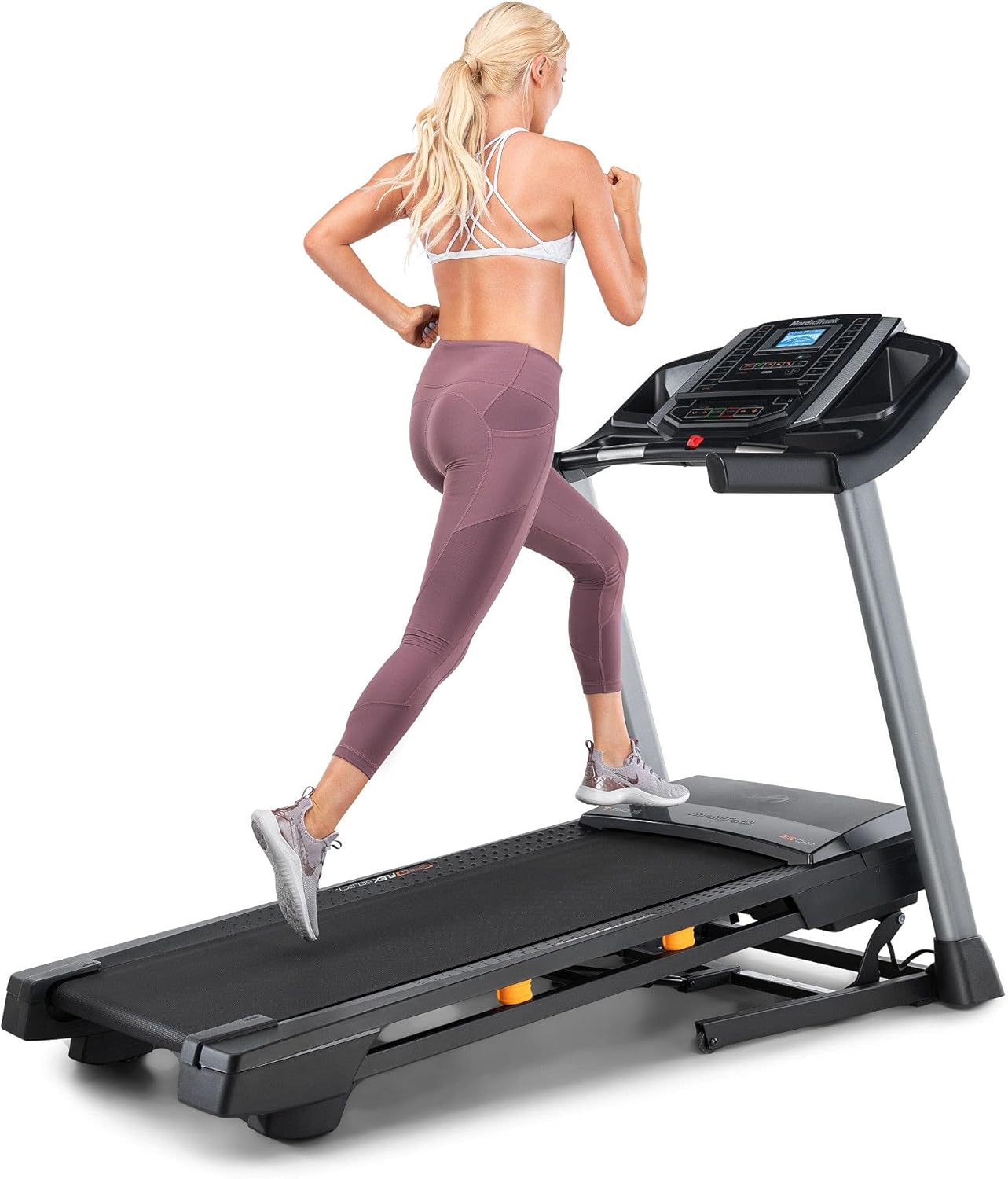
NordicTrack T Series Treadmill
Choose the NordicTrack T Series T 6.5 S (NTL17915) if you value documented one-touch speed controls, direct console incline adjustment, and a known 20-by-55-inch belt more than camera feedback. Its listed 10 mph ceiling rules it out if your intervals go faster.
Compare this alternative →
WELLFIT 12% Auto-Incline Folding Walking Pad
Choose the WELLFIT TM037PRO if walking and low-profile storage come first. It weighs a listed 57 pounds and folds to a listed 5.5 inches high, but the 40-by-16-inch belt is a meaningful compromise if you need room for a long running stride.
Compare this alternative →Choose your next step
Put your shortlist side by side
See the differences, tradeoffs and who each model suits.
Compare the products →
Before you order
- Match the order and warranty paperwork to model TA04-DC01.
- Confirm usable belt dimensions, maximum incline, and how you change pace and grade mid-run.
- See the camera in a class you’d take, then verify privacy settings, manual and offline functions, and any membership renewal terms.
- Confirm the delivery route, room placement, operating clearances, and electrical requirements.
- Get warranty service terms and opened-item return and pickup costs in writing.
If you can arrange only one demo, use it to check both sides of the purchase: run at your usual pace, then try a floor session with the screen turned toward a mat. If you can’t try the exact model, settle the belt-fit and return questions before scheduling delivery.


